How Do I Explain a Landscape Design Idea So There Are Fewer Revisions?
March 13, 2026
For landscape professionals, revisions are part of the job. But too many revisions usually point to a communication problem, not a design problem.
In many cases, the issue is not that the concept is weak. It is that the client never fully understood what was being proposed, why certain choices were made, or what the final outcome would actually feel like once installed. When that happens, even a strong design can trigger confusion, hesitation, and repeated rounds of change.
If you want fewer revisions, you need to do more than present a plan. You need to explain the idea in a way that helps the client see it clearly, evaluate it confidently, and make decisions with less second-guessing. This guide breaks down how professionals can present landscape design ideas more effectively so clients feel aligned earlier and projects move forward with less back-and-forth.
Why Landscape Design Revisions Happen So Often
Most clients are not trained to read plans, interpret scale, or imagine how a finished outdoor space will function from a flat drawing. What seems obvious to a designer may still feel abstract to the person approving the project. Revisions often happen because of one or more of these issues:
- The design was shown before the goals were clearly defined
- The client could not visualize the finished result
- The presentation focused on features, not outcomes
- Budget, maintenance, or installation realities were not explained early
- Too many choices created uncertainty
- The client did not know what decision they were actually being asked to make
When you understand this, the goal becomes clearer. You are not simply presenting a design. You are guiding a decision.
Start With the Problem You Are Solving
Before presenting any concept, ground the conversation in the client’s original goals. This keeps the discussion focused and prevents subjective feedback from taking over too early. Instead of jumping straight into planting plans, hardscape layouts, or material palettes, begin with the reason behind the design. For example:
- “This concept is built to improve privacy from the street.”
- “This layout is designed to create better flow between the patio, lawn, and pool.”
- “This planting approach reduces maintenance while giving you year-round structure.”
- “This design helps the front yard look more polished and easier to maintain.”
When clients hear the design framed around outcomes, they are more likely to evaluate it based on whether it solves their problem instead of reacting only to isolated details.
Explain the Idea in Layers
One of the biggest mistakes professionals make is presenting everything at once. When a client sees grading, planting, materials, lighting, furniture placement, and drainage considerations all at the same time, it can feel overwhelming. A better approach is to explain the design in layers.
Layer 1: The Big Picture
Start with the overall layout and how the space is organized. Focus on movement, use zones, and visual balance. Talk about questions like:
- Where will people gather?
- How does the design guide circulation?
- What becomes the focal point?
- How are privacy and openness balanced?
This helps the client understand the structure of the idea before getting lost in details.
Layer 2: Key Features
Next, walk through the major design elements such as the patio, walkway, planting beds, retaining walls, outdoor kitchen, fire feature, or water element. At this stage, explain purpose. Do not just name the feature. Explain why it belongs there. For example, instead of saying, “We added a raised planter here,” say, “We added a raised planter here to soften the hardscape edge, improve screening, and create a stronger transition between the patio and yard.”
Layer 3: Materials and Planting
Only after the client understands the layout should you move into finishes, textures, plant selection, and style expression. This sequence matters. When clients understand the structure first, they are less likely to request changes based on one material preference that does not affect the design logic.
Help Clients Visualize the Finished Space
Many revisions happen because the client is reacting to what they imagine, not what you intended. That is why visualization is one of the most powerful ways to reduce revisions.
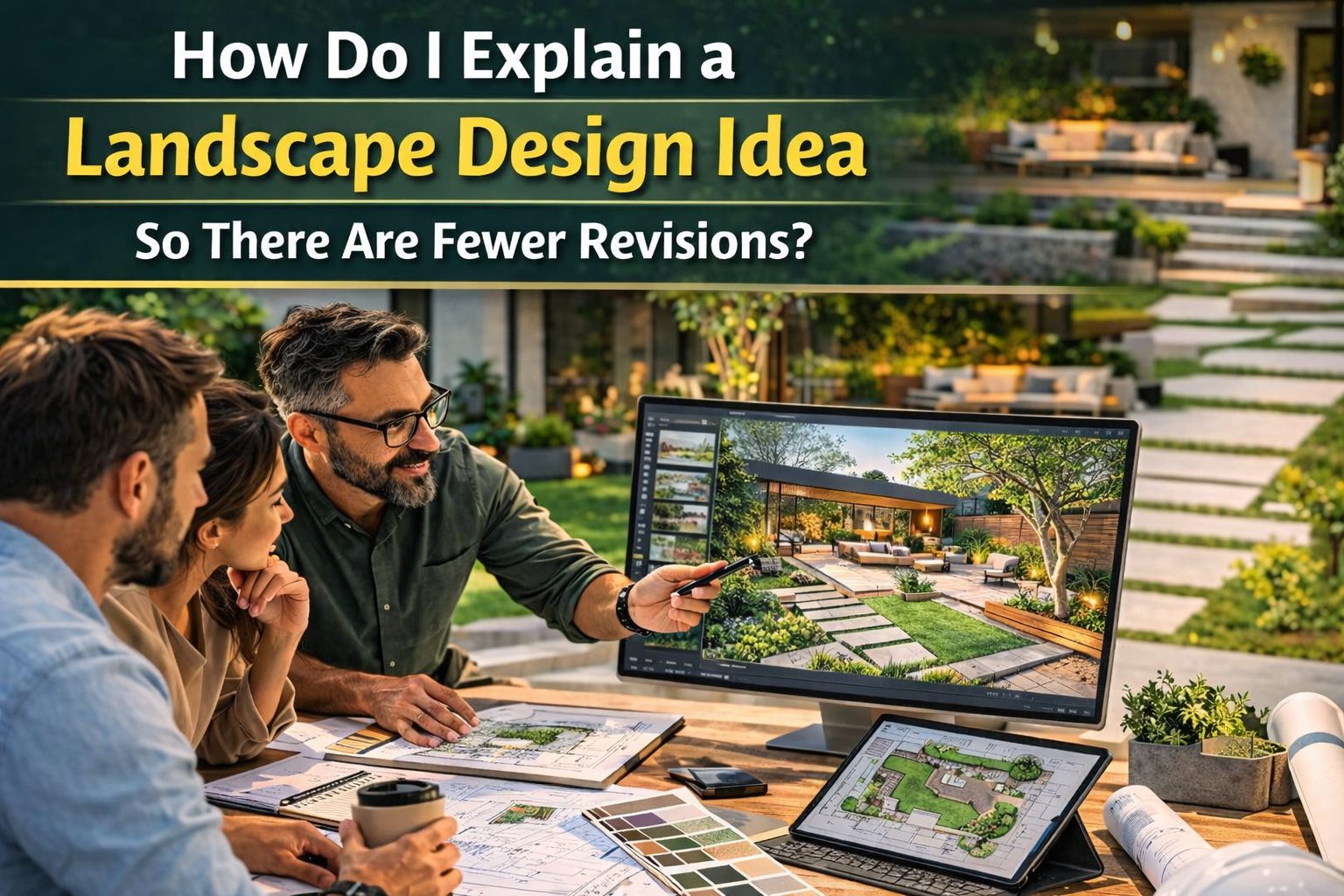
Professionals should use clear visual tools that bridge the gap between design thinking and client understanding. Depending on your workflow, this may include concept boards, annotated plans, 3D views, overlays on property photos, or digital visualizations that show how the design fits the real site. The more clearly a client can picture the final result, the more confident they become in approving it. This is especially useful when presenting larger transformations, complex grading solutions, or layered planting plans that are difficult to understand from a standard drawing alone.
Whether you are a homeowner or a landscape pro, iScape helps you visualise the final look faster, reduce rework, and move from idea to install with more confidence.
Download iScape on the App Store or Google Play Store today and start designing today!
Speak in Client Language, Not Design Language
Landscape professionals often use terms that make sense internally but mean very little to clients. Phrases like “spatial rhythm,” “layered composition,” “softening the edge,” or “creating hierarchy” may be accurate, but they do not always help a client make a decision. Instead, translate design ideas into plain, useful language. Say this:
- “This planting layout gives you privacy without making the yard feel closed in.”
- “These materials will stay cleaner and look more consistent over time.”
- “This pathway makes it easier to move through the yard when entertaining.”
- “This option gives you a more finished look with less maintenance.”
When clients understand what something does for them, they respond faster and with more clarity.
Show Fewer Options, But Show Them Better
Offering too many design directions can slow down approval and increase revisions. Clients may feel pressure to compare everything, mix unrelated ideas, or keep exploring instead of deciding. A better strategy is to present one strong primary direction and, when necessary, one alternate. The primary option should reflect your professional recommendation. The alternate can address a different priority such as lower cost, reduced maintenance, or a more modern aesthetic. This keeps the decision focused. It also positions you as the expert rather than simply a provider of endless choices.
Connect Design Choices to Budget and Maintenance Early
Many revisions are triggered late in the process when clients realize that a feature costs more than expected or requires more upkeep than they want. To avoid this, connect each major design decision to real-world implications during the presentation. Explain:
- Which features are the biggest budget drivers
- Which planting choices require more maintenance
- Which materials perform best long term
- Where value engineering is possible without weakening the design
This helps clients make informed decisions at the concept stage instead of requesting major design changes later. It also builds trust because you are showing that your recommendation is practical, not just attractive.
Annotate the Plan So the Client Knows What to Look At
Unlabeled plans can create confusion. Clients may not know where to focus, what is new, or how different elements relate to each other. Simple annotations can make a major difference. Use callouts, short notes, directional labels, and clear headings to guide attention. For example:
- Entry Sequence
- Privacy Planting Zone
- Main Gathering Area
- Drainage Improvement Area
- Low Maintenance Border
- Focal Tree Placement
These cues make the presentation easier to follow and reduce the chance that the client misreads the concept.
Ask Better Questions During the Review
If you end a presentation by asking, “What do you think?” you often get vague reactions that lead to scattered revisions. Instead, ask focused questions that guide better feedback. Examples include:
- “Does this layout support how you want to use the space?”
- “Do you feel this level of privacy is right for your needs?”
- “Would you rather invest more in entertaining space or planting impact?”
- “Is low maintenance still the priority, or has that changed?”
- “Are you comfortable with this direction before we move into detailed development?”
These questions help clients respond with useful feedback rather than random preferences.
Separate Preference Changes From Problem Changes
Not every requested revision deserves equal weight. Some revisions solve real concerns. Others come from momentary uncertainty.
A useful internal filter is to ask whether the requested change affects function, budget, maintenance, or project goals. If it does, it may be worth revisiting. If it is only a surface reaction with no strategic value, it may be better to guide the client back to the design rationale. Professionals who reduce revisions well do not resist feedback. They organize it. They help the client distinguish between changes that improve the project and changes that simply delay it.
Use a Clear Approval Process
One reason revisions keep piling up is that there is no clear decision point. Clients review, comment, revisit, rethink, and reopen conversations because the process was never structured.
A stronger workflow includes:
- A discovery phase with defined goals
- A concept review with focused feedback
- A revision phase with limited scope
- A formal approval before detailed documentation or installation planning
When clients know where they are in the process and what decision is needed at each stage, they are less likely to treat every review like an open-ended brainstorm.
A Simple Framework for Presenting Landscape Ideas With Fewer Revisions
A strong client presentation often follows this sequence:
1. Restate The Goals
Begin by reminding the client what the design is solving.
2. Explain The Layout
Show how the space is organized and how people will move through it.
3. Walk Through The Major Features
Explain what each one does and why it belongs there.
4. Show Visual Support
Use mockups, overlays, or 3D views to make the concept easier to picture.
5. Cover Budget And Maintenance Realities
Address practical considerations before the client asks.
6. Ask Focused Questions
Guide the feedback toward decisions, not general reactions.
7. Confirm The Next Step
Make it clear whether you are seeking concept approval, minor feedback, or final direction. This process creates clarity, and clarity reduces revisions.
The Real Goal Is Client Confidence
At the heart of every successful presentation is confidence. When clients feel confident, they make decisions faster. They are less likely to reopen settled topics. They trust the process more and the project moves forward with better momentum. That confidence comes from communication that is visual, structured, practical, and easy to understand. So if you want fewer revisions, do not just improve the design. Improve the way the design is explained.
Final Thoughts
Landscape design ideas are easier to approve when clients can understand the purpose, visualize the outcome, and evaluate trade-offs clearly. For professionals, that means presenting with more intention, not more information. The best presentations do not overwhelm clients with every possible detail. They guide them toward the right decision by showing what matters, why it matters, and what comes next.
When you explain your ideas clearly, revisions become more strategic, approvals become faster, and the overall client experience improves. If you want to present landscape concepts more clearly and help clients visualize ideas before installation, iScape can support a smoother design process. From concept communication to visual planning, it helps professionals turn ideas into presentations clients can understand faster and approve with more confidence.
Explore how iScape can help your team reduce confusion, strengthen client buy-in, and move projects forward with fewer revisions. Download iScape on the App Store or Google Play Store today and start designing today!