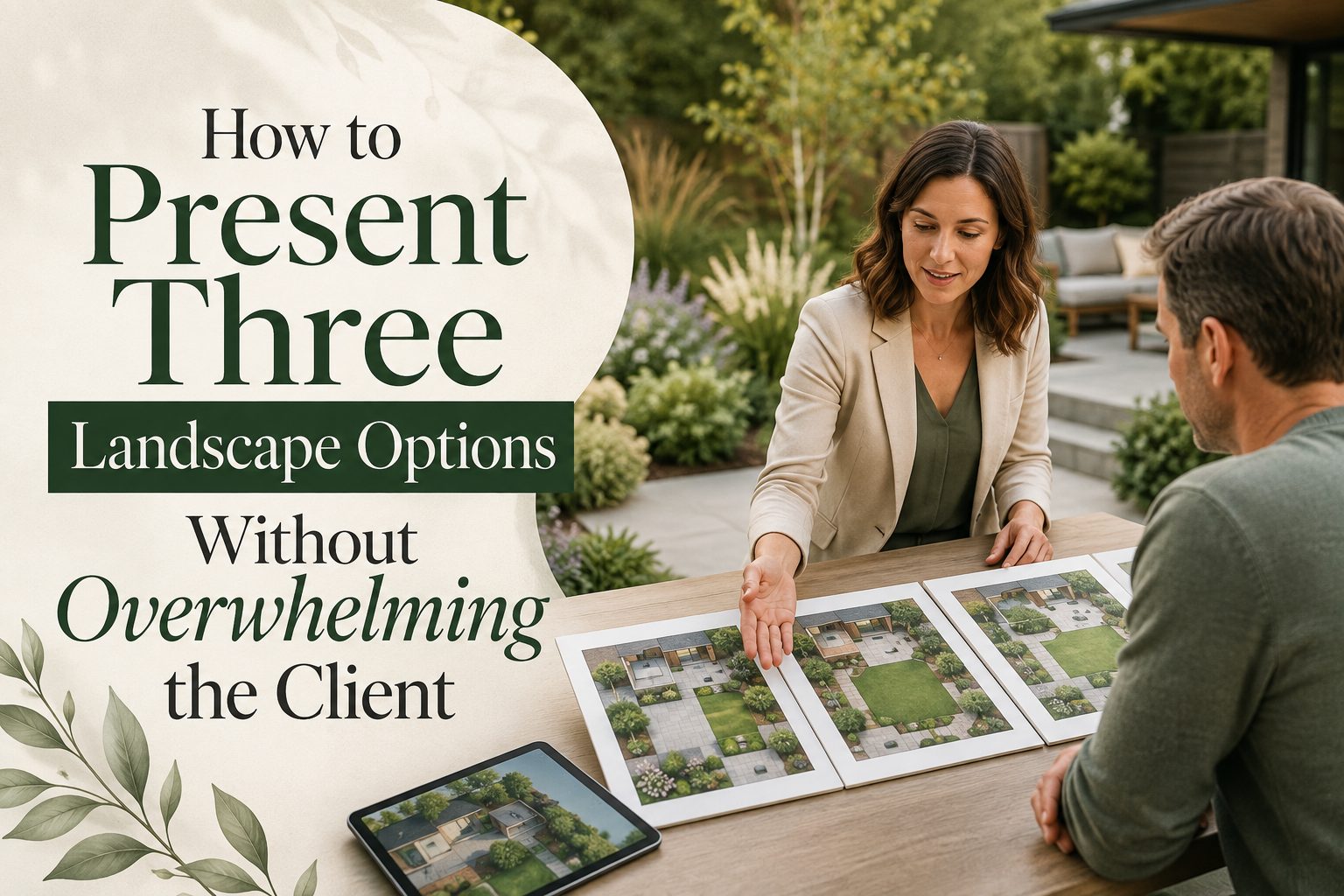
Giving a client three landscape concepts can be useful. It gives them enough contrast to understand what is possible without turning the presentation into an endless catalogue of patios, plants, pavers, fire features, and furniture arrangements. But three options can still become overwhelming if every concept contains dozens of decisions.
The goal is not simply to show three designs. It is to help the client understand what changes between them, what each option prioritizes, and which direction best fits their yard, budget, and lifestyle. That means presenting fewer decisions at one time and making each option easy to understand.
Why Three Options Can Become Too Much
More choice does not always make decisions easier. Research on choice overload by Columbia Business School professor Sheena Iyengar and Stanford professor Mark Lepper found that larger sets of choices can sometimes reduce motivation to make a decision. While landscape design is very different from the experiments studied, the underlying lesson is useful: more options are not automatically more helpful. Read the Columbia Business School research on choice overload. For a landscape client, the problem becomes worse when three concepts also introduce:
- Several paving materials
- Multiple plant palettes
- Different furniture arrangements
- Lighting choices
- Patio sizes
- Fire features
- Retaining walls
- Different price points
Instead of asking the client to evaluate everything at once, structure the presentation around a few meaningful differences.
Start With What the Client Actually Asked For
Before showing Option 1, remind the client why the project exists. For example:
- Create more room for entertaining
- Improve backyard privacy
- Preserve lawn for children or pets
- Reduce maintenance
- Improve circulation
- Add shade
- Work within a defined budget
Now the client has a way to judge each option.
Instead of asking:
"Which design do you like?"
you can ask:
"Which approach solves these priorities best for you?"
This keeps the discussion tied to outcomes rather than isolated visual preferences. For more on building presentations around client needs, see 8 Client Presentation Tips for Landscape Designers and Contractors.
Make Each Option Represent a Clear Direction
The three concepts need to be meaningfully different. Do not present one plan with a rectangular patio, another with a slightly larger rectangular patio, and a third with the same layout plus a fire pit. Give each option a purpose.
Option 1: The Essential Plan
Focus on the client's highest-priority needs. It might include:
- Core patio space
- Necessary pathways
- Basic planting
- Important drainage improvements
- Existing lawn retained where possible
The message is simple: This solves the main problems without expanding the project unnecessarily.
Option 2: The Balanced Plan
Take the essential concept further. You might add:
- More entertaining space
- Better privacy planting
- Improved transitions
- Landscape lighting
- Additional seating
- Upgraded materials
This often becomes the middle option that balances investment, function, and visual impact.
Option 3: The Complete Plan
Show what the yard could become with the fullest version of the client's goals. That could include:
- Outdoor kitchen
- Fire feature
- Expanded hardscape
- More mature planting
- Premium materials
- Multiple outdoor zones
- Integrated lighting
Now the client is comparing three levels of outcome, not thirty individual features.
Give Each Concept One Idea the Client Can Remember
Avoid presenting:
Concept A, Concept B, Concept C.
Instead, name the ideas according to what they prioritize.
For example:
The Open Yard
More lawn, flexibility, and family space.
The Entertaining Yard
Larger patio, dining, seating, and better circulation.
The Garden Retreat
More privacy, planting, shade, and intimate outdoor spaces. These names help clients remember the differences after the presentation ends.
Present One Option at a Time
Do not begin by placing three highly detailed designs side by side. That encourages clients to hunt for small differences before understanding the overall ideas. Present each concept individually using the same structure:
Goal → layout → benefit → tradeoff → investment
For example:
"This option preserves the most lawn while still creating a proper dining patio. The advantage is more open space and a smaller hardscape investment. The tradeoff is that the patio cannot comfortably support separate dining and lounge zones."
Then move to the next option. Only show all three together once the client understands each one. ASLA also emphasizes the importance of clear communication pathways and keeping project teams and clients aligned around common goals. Explore ASLA's communication guidance for professional practice
Keep the Visuals Consistent
If Option 1 is a polished visualization while Option 2 is a technical plan and Option 3 is a sketch, the comparison is already biased. Present all three with a similar:
- Viewing angle
- Image size
- Level of detail
- Plant maturity
- Furniture style
- Annotation system
- Lighting condition
The client should be comparing the design, not the quality of the presentation. This is where visual landscape tools can be particularly useful.
How iScape Can Help Present Three Options More Clearly
iScape can help landscape professionals turn three abstract concepts into visuals that clients can compare in the context of the actual property. Instead of relying entirely on a plan or verbal explanation, you can visually show how changing one major decision affects the yard. For example, you could create:
Option 1: More lawn with a compact patio
Option 2: Balanced lawn and entertaining space
Option 3: Larger outdoor-living area with more hardscape
The client can then see how each direction changes the space rather than trying to imagine those differences from measurements alone. iScape can be useful for showing changes involving:
- Patio placement
- Lawn size
- Planting density
- Privacy screening
- Pathways
- Outdoor furniture
- Fire features
- Trees and shrubs
- General material direction
That helps move feedback from:
"I'm not sure what I like."
toward something more useful:
"I prefer the amount of lawn in Option 2, but I like the seating arrangement in Option 3."
That is much easier for a professional to act on.
For a deeper look at this workflow, read How Landscape Designers Save Hours Using Visual Design Apps. iScape's guidance notes that visual concepts can help clients understand scale and provide more specific feedback earlier in the process.
Explain Only What Changes Between the Options
If drainage, an existing tree, property access, and one pathway remain the same across all three concepts, do not repeatedly explain them.
Tell the client:
"These parts remain consistent. Today, we are deciding how much space should go to entertaining, lawn, and planting."
Separate the presentation into two groups:
- Fixed elements: already decided or required.
- Option elements: decisions that actually distinguish the three concepts.
This dramatically reduces how much information the client has to process.
Make the Tradeoff Obvious
Every strong option should have an advantage and a compromise. For example:
Option 1
Advantage: More lawn and lower project scope.
Tradeoff: Less entertaining space.
Option 2
Advantage: Strong balance between lawn, patio, and planting.
Tradeoff: Neither lawn nor patio is maximized.
Option 3
Advantage: Most complete outdoor-living experience.
Tradeoff: Higher investment and potentially more maintenance.
Once tradeoffs are visible, clients have something meaningful to compare.
Do Not Discuss Every Plant and Paver Yet
The concept presentation is not the right moment to ask a client to choose between six pavers and twelve shrubs.
First decide the layout.
Instead of discussing exact plant cultivars, say:
"This area uses layered evergreen screening to improve privacy throughout the year."
Instead of showing five paver samples, say:
"This concept uses a warm, contemporary large-format paver."
Specific selections can happen once the overall direction has been approved.
This approach also connects with How to Create a Client-Ready Landscape Concept Before Sharing an Estimate, which recommends helping clients understand the concept and its value before moving too deeply into estimating and detailed selections.
Give Each Option Some Budget Context
Clients should understand whether the three concepts represent similar or very different investment levels. You might position them as:
- Option 1: Core investment
- Option 2: Mid-range investment
- Option 3: Highest investment
If reliable preliminary ranges are available, include them. Without any financial context, a client may spend most of the meeting choosing a concept that was never realistic for their budget.
Tell the Client Which Option You Recommend
Three options do not mean the professional should remain neutral. After presenting them, offer a recommendation. For example:
"Based on your budget, the amount of lawn you want to preserve, and how often you entertain, I recommend Option 2. It gives you a proper dining and lounge area without allowing hardscape to dominate the backyard."
Clients are hiring you partly for judgment. Give them yours.
Ask Questions That Help Them Decide
Avoid ending with:
"So, what do you think?"
Ask questions that reveal priorities.
- Which layout feels closest to how you would actually use the yard?
- Would you rather preserve more lawn or gain more entertaining space?
- Which feature would you be most willing to remove if the budget needs to come down?
- Is the additional outdoor-living space in Option 3 worth the investment to you?
- Which option would you regret not choosing?
Focused questions turn feedback into decisions.
Do Not Create Option 4 Too Quickly
Suppose the client says:
"I prefer Option 2, but can we add the fire pit from Option 3?"
That usually does not require an entirely new concept.
Confirm:
Option 2 is the chosen direction.
Then treat the fire pit as a refinement. This prevents a three-option presentation from becoming Option 4, Option 5, and Option 6.
For more strategies on controlling revision cycles, see How Do I Explain a Landscape Design Idea So There Are Fewer Revisions?.
A Better Three-Option Presentation Process
A strong meeting can follow a simple sequence:
- Restate the client's goals.
- Explain what remains the same across all three concepts.
- Present each option individually.
- Explain one main advantage and tradeoff for each.
- Provide investment context.
- Show all three together.
- Give your professional recommendation.
- Ask focused comparison questions.
- Confirm the preferred direction.
- Refine only that concept.
This keeps the client involved without handing them the burden of designing the project themselves.
Three Options Should Make the Decision Easier, Not Bigger
The purpose of showing three landscape concepts is not to demonstrate how many ideas you can create. It is to make the decision clearer. A strong presentation helps the client understand:
- What stays the same.
- What changes.
- What each option improves.
- What each option gives up.
- What each option is likely to cost.
- Which direction you recommend.
Combine that structure with clear visual concepts, and three options become a useful decision-making tool rather than another source of uncertainty.
With iScape, professionals can make those differences easier to see before installation, helping clients compare ideas in the context of their own yard and move toward one approved direction with greater confidence.