Client decisions slow down for one main reason: most people are not trained to “read” design. A landscape professional can look at a 2D plan and immediately understand scale, circulation, grading intent, and how the space will feel. A homeowner or stakeholder usually sees lines, symbols, and notes, then tries to translate them into a real yard in their head. That translation step is where uncertainty starts, and uncertainty is what creates extra revision rounds, delayed approvals, and last-minute changes.
The good news is that the format you present can remove a lot of that friction. When you match the presentation style to the type of decision the client needs to make, decisions speed up naturally, because the client feels confident that they understand what they are approving.
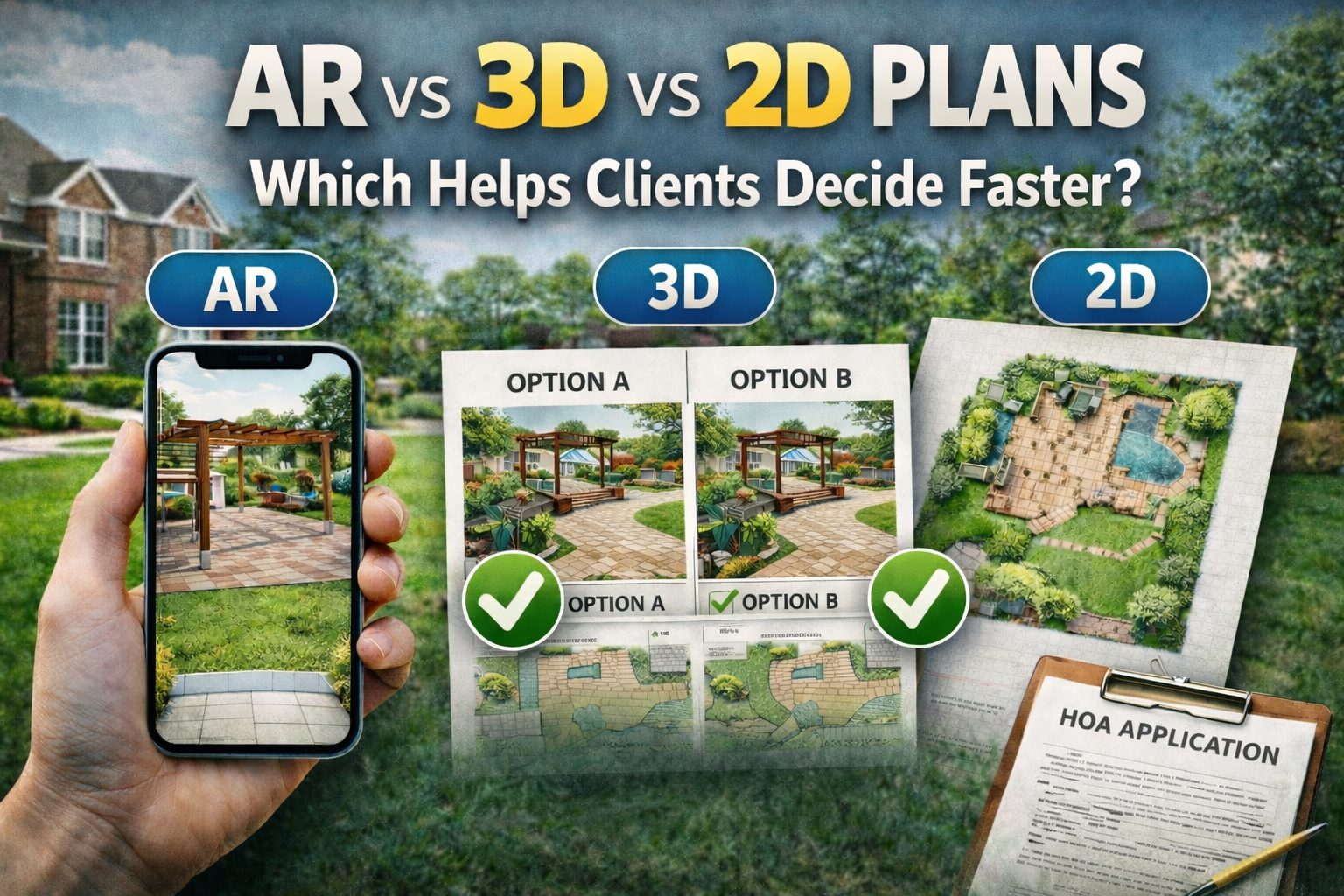
This guide breaks down what 2D plans, 3D visuals, and AR (augmented reality) each do well, where they slow decisions down, and which one tends to move clients to a “yes” faster depending on project type.
What “decide faster” actually means in landscape projects
When professionals say a client decided quickly, it usually means one or more of these happened:
- The client understood scale, so patio size, bed depth, and spacing felt correct.
- The client understood placement, so they could picture how circulation and sightlines work.
- The client understood style, so materials and planting choices felt consistent with their taste.
- The client understood scope, so the budget conversation matched what they expected.
- The client felt sure enough to approve without “one more option” or “let’s revisit next week.”
Your visuals should be built to answer those questions with the least mental effort required from the client.
2D plans: best for precision, slower for confidence
What a 2D plan is best at
2D plans are still the backbone of professional work because they communicate measurable intent clearly. They are strong when the decision is technical, or when multiple trades need exact locations. 2D plans are excellent for:
- Dimension accuracy and layout control
- Construction documentation and staking
- Clear callouts for materials, irrigation zones, and lighting circuits
- Estimating and takeoffs when the scope is stable
Why 2D plans slow down client decisions
Most clients do not naturally interpret plan symbols, line weights, and top-down views. Even when they understand the basics, they struggle to imagine height, texture, and real-world perspective without extra explanation. That usually leads to more questions, more meetings, and more revisions before approval. This is why many firms use 2D plans as the technical foundation, but not as the primary “selling” tool for non-technical decision makers.
When 2D helps clients decide faster
2D can still speed decisions when the client is already visually confident and only needs to approve specifics, such as:
- A small scope update, like a bed extension or a simple patio shape
- A replanting plan that follows an existing style
- A value-engineering revision where the client wants to compare quantities and size
If the decision is mostly about “exactly how much” and “exactly where,” 2D can be the quickest route.
3D visuals: best for understanding, strong for buy-in
What “3D” means in landscape presentations
In practice, 3D can include anything that adds depth and perspective, such as 3D renderings, model views, or perspective visuals that show how the space may look when complete. The biggest value is that 3D removes the “translation step” for the client.
Why 3D often speeds up decisions
3D tends to accelerate decisions because it improves clarity and reduces guesswork. Clients can quickly see proportion, layers, and how features relate to the house and yard.
In AEC education and visualization research, more immersive visual formats have been shown to improve spatial understanding and information retention compared to traditional 2D representations. In plain terms, when people can “see it,” they decide with less hesitation.
Where 3D can still slow you down
3D can slow down decisions if:
- The 3D is too polished too early, so clients focus on small aesthetic details before scope is locked.
- The visuals are not connected to realistic constraints, so clients approve something that later needs redesign.
- Producing 3D takes too long, so your team loses momentum between revisions.
The goal is not maximum realism on day one. The goal is the right level of realism to lock the next decision.
When 3D is the fastest option
3D is usually the fastest choice when the client decision is emotional and visual, such as:
- Overall layout approval for outdoor living spaces
- Material style selection for pavers, walls, pergolas, and features
- Planting style direction and privacy screening strategy
AR: best for real-world scale, fastest for “Is this too big?” questions
What AR does differently
AR places design elements into the client’s real environment through a device camera, so the client sees features in context instead of imagining them. In construction and design research, AR is commonly described as valuable for catching issues earlier by visualizing design intent in the real world, which can reduce errors and rework.
This matters in landscaping because many “late changes” happen when the client finally realizes a feature feels too large, too tight, too close to the house, or more dominant than expected.
Why AR can speed decisions dramatically
AR is the fastest tool for decisions that depend on real-world feel:
- Patio size and shape in relation to doors and circulation
- Retaining wall height and visual impact
- Placement of pergolas, fire features, seating zones
- Spacing and scale checks for trees and large shrubs
- Sightlines from the street or key windows
Research and reviews across AR use cases consistently point to improved spatial awareness and understanding when AR visualization is used alongside conventional materials.
Where AR can slow decisions
AR can slow decisions when:
- The client is still deciding style and materials, and AR is used too early without constraints.
- The project requires formal documentation, and AR is presented without supporting measurements.
- Device capability varies, and the AR experience is not consistent across everyone reviewing it.
AR should be paired with basic technical details, so it accelerates approval without creating ambiguity.
So which helps clients decide faster: AR, 3D, or 2D?
In most real-world projects, the fastest workflow is not choosing one format. It is using the right format at the right moment.
If the client is stuck on layout and flow
Best first move: 3D or AR, because the client needs to understand how the space will feel, not how it measures. If the client keeps asking, “Where would this go?” or “Will this feel cramped?” they are asking for a visual answer, not a drawing answer.
If the client is stuck on scale
Best move: AR, because AR answers “Is this too big?” in seconds. This is where AR often prevents the revision loop that shows up later during installation.
If the client is stuck on details and pricing
Best move: 2D, because once the concept is approved, the project needs clarity on exact scope so estimating and scheduling stay clean.
If you are working with an HOA or review committee
Visual approvals tend to move faster when reviewers can see “before and after” clearly, because many of these decisions are visual and context-driven.
A clean visual plus supporting notes often reduces back-and-forth more than a plan-only submission.
The professional workflow that speeds decisions the most
If you want a reliable system that reduces revisions, here is a structure that works across most landscape projects:
Step 1: Use visuals to lock direction quickly
Start with a visual concept that is easy to understand, then narrow options fast. When clients see two clear options, they usually choose one faster than when they are asked open-ended questions.
Step 2: Use AR to confirm real-world fit before final approval
This is the step that prevents late-stage changes that cause delays and budget stress.
Step 3: Use 2D to finalize scope and install clarity
Once the direction is approved, your 2D plan becomes the “source of truth” for takeoffs, sequencing, and build alignment.
How iScape helps professionals combine AR, 3D-style visuals, and 2D planning in one workflow
Many teams lose time because they switch tools too often, or they rely on one format that does not match what the client needs. iScape is built to reduce that friction by letting you design on a real photo of the property and present the concept in a way clients understand quickly. Here is how pros typically use it:
1) Create a client-ready layout on the property photo
Instead of explaining a top-down plan, you show a visual layout that makes placement obvious. That tends to reduce the “I’m not sure” response that slows approvals.
2) Use AR to test scale and placement in context
iScape’s AR-focused guidance highlights how AR helps prevent mistakes like patios ending up too large, trees being placed too close, or features feeling misaligned once installed.
That is the exact category of uncertainty that delays decisions and triggers redesign.
3) Build fast Option A / Option B comparisons
When clients ask for “one more version,” you can respond with structured alternatives instead of restarting the design conversation, which keeps momentum strong.
4) Share visuals for quicker buy-in and approvals
Visual apps often reduce approval friction, especially for HOAs and committees, because they make the proposed change easier to understand at a glance.
Download iScape on the App Store or Google Play Store today and start designing today!
How the iScape App Helps Clients Decide Faster (AR vs 3D vs 2D)
Clients delay decisions when they cannot clearly picture layout, style, or real-world scale. iScape helps you remove that uncertainty by letting you present concepts in a format clients understand quickly, then validate size and placement before final approval.
Where iScape fits
- Fast layout in 2D (client-friendly): Build the concept on a photo of the actual yard, so clients understand placement without struggling to read technical drawings.
- AR for scale checks: Use AR to confirm “Is this too big/too close?” for patios, pergolas, walls, trees, and feature zones before the client signs off.
- Option A vs Option B quickly: Create two compliant variations fast so clients choose instead of dragging revisions.
- Shareable visuals: Send clear visuals to clients or HOAs so approvals move without extra meetings.
Quick decision guide
If you want a simple rule that holds up in real projects, use this:
- 2D is fastest for technical clarity once the concept is approved.
- 3D is fastest for helping clients feel the design direction and style.
- AR is fastest for solving scale and placement doubts that cause last-minute changes.
When you combine them in a tight workflow, client approvals usually become smoother, because every stage gives the client the exact type of clarity they need.
Download iScape on the App Store or Google Play Store today and start designing today!
FAQs
Is AR better than 3D for client presentations?
AR is usually better for scale and placement decisions because it overlays design intent in the real world, which can reduce misinterpretation and rework. 3D is often better for style and overall feel when the client is choosing a direction.
Do 2D plans still matter if I use AR or 3D?
Yes, because 2D plans are still the clearest format for measurements, takeoffs, and installation coordination. AR and 3D help clients decide faster, but 2D keeps the build precise.
What format reduces revisions the most?
AR and 3D reduce revisions caused by misunderstanding, because they improve spatial understanding and confidence. Research comparing immersive visualization against 2D drawings has found better perception accuracy and memory with immersive tools.